Designing a legal-first way to preserve Microsoft 365 data
Preserving shared Microsoft data required legal teams to leave Everlaw and work through Microsoft Purview's fragmented, technical interface, often resulting in incomplete legal holds.
I designed a unified preservation model that lets legal teams select shared data without understanding Microsoft's technical architecture.
Result
236% increase
in daily average usage after launch
Problem
Preserving shared data is deceptively complicated
When a lawsuit hits, legal teams must "freeze" data to prevent deletion. Legal teams think in terms of people (custodians), but Microsoft fragments data across hidden technical locations.
I worked with our engineer to map Microsoft's Graph API. We found that a paralegal preserving a Team might assume it's one data source, but Microsoft splits it across three locations: messages in Exchange, files in SharePoint, recordings in OneDrive. If they missed one, the legal hold would be incomplete.
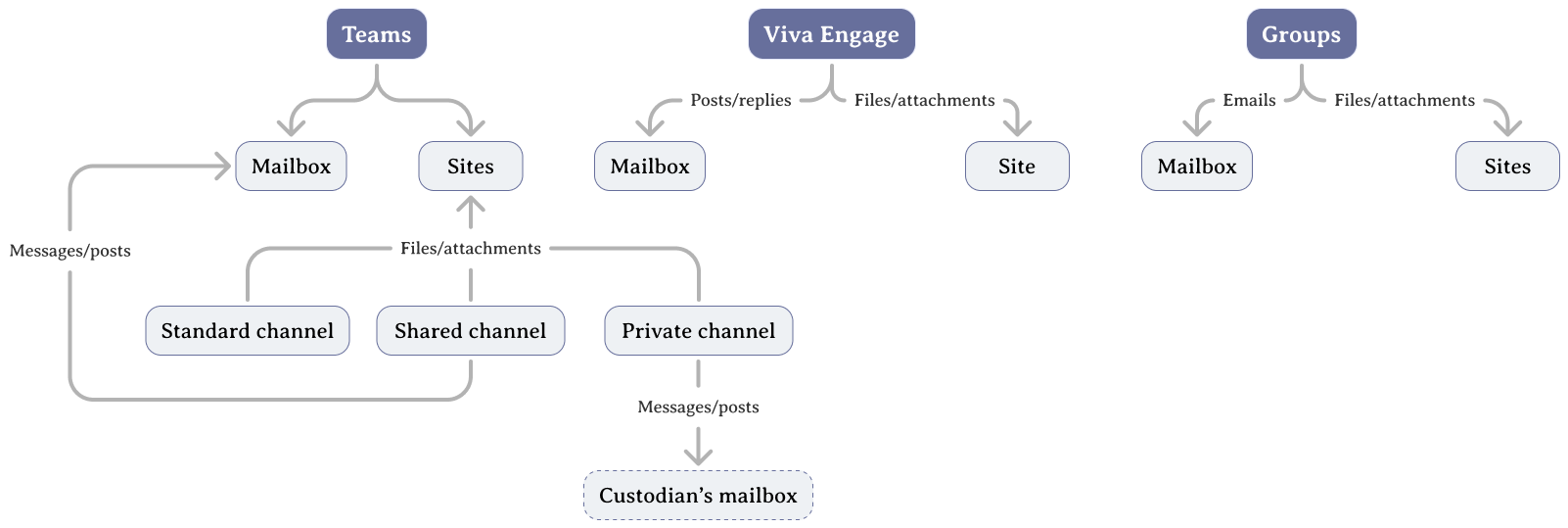
Microsoft fragments a Team's data across multiple storage locations
This led to three design goals:
How might we let legal teams preserve shared data without understanding Microsoft's architecture?
Explorations
Exposing everything didn't help
My first instinct was to expose everything—show all custodians and all data sources so users could see the full picture. I explored list-based and matrix-based views.
What I learned: technical accuracy ≠ usability. Users felt overwhelmed, and the view didn't match legal workflows. They wanted a guided task flow, not a system overview.
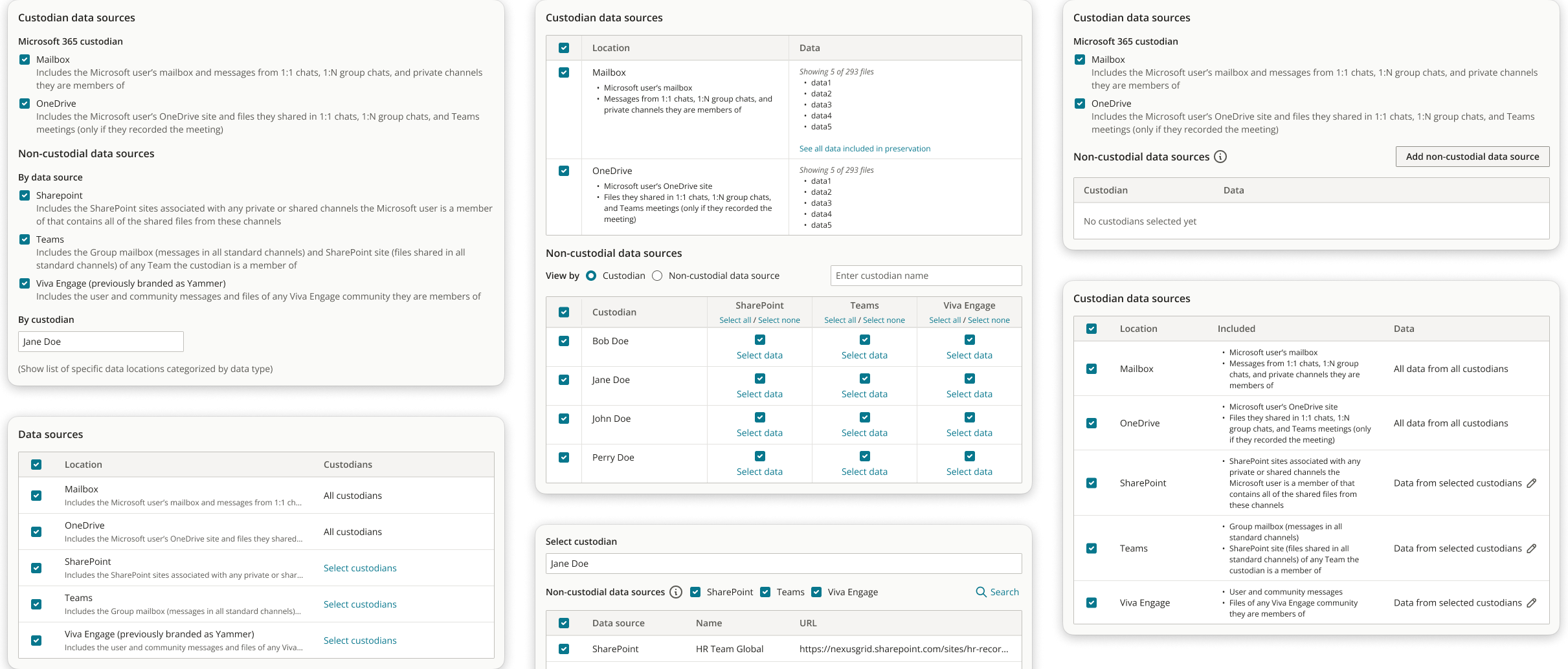
Explorations of list and matrix views
Key Decisions
The breakthrough: supporting two mental models
Through in-person usability testing at a company summit for customers, I discovered a fundamental split:
- Some users start with people ("Preserve everything for Jane Doe")
- Others start with locations ("Preserve the HR Team")
I designed a dual-view system that synced in real time so users could work naturally while the system handled the complexity.
🔁 Designing a dual-view system
A single workflow forced users into one mental model—either custodian-first or location-first. If the tool assumed the wrong one, users had to manually verify their selections elsewhere.
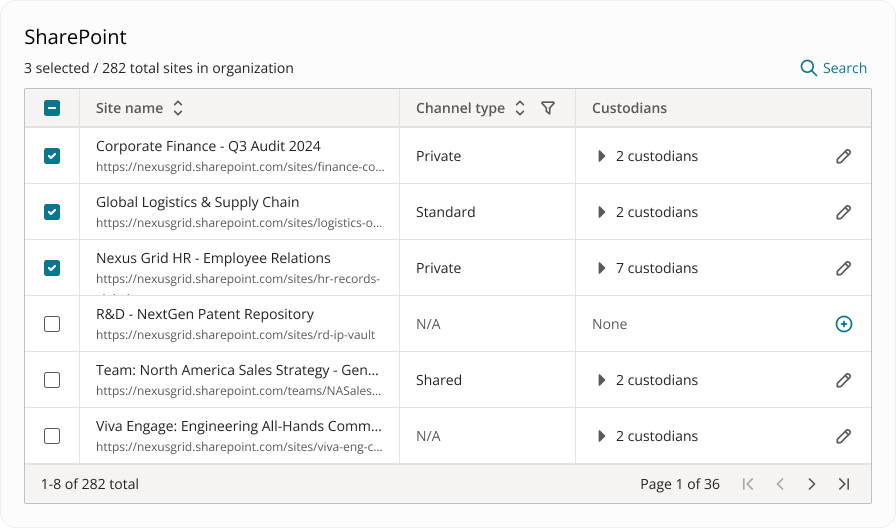
I designed a dual-view system that allowed users to toggle between custodians and data sources, with selections syncing in real time across both. Users could work from their preferred starting point while the system handled the underlying complexity.
This removed the need for manual cross-checking, reducing cognitive load without hiding critical relationships between the data.
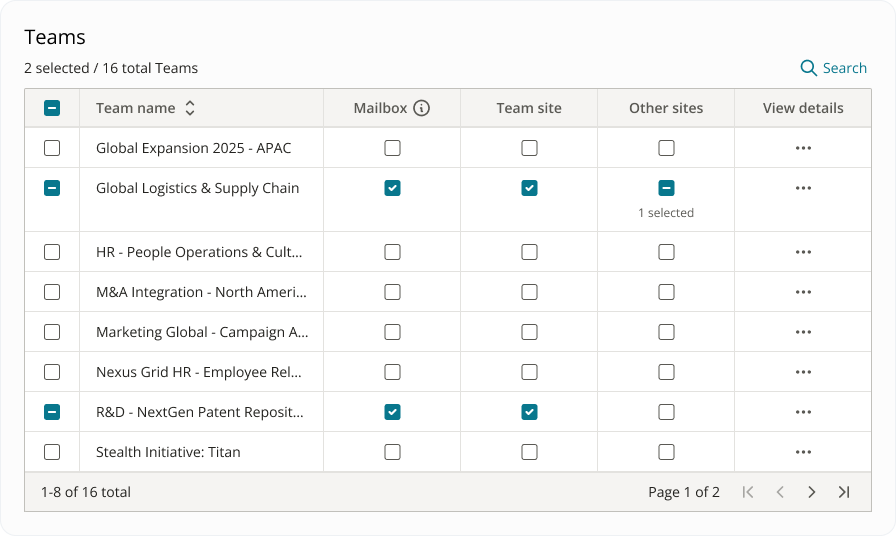
Dual-view system for custodians and data sources with synced selections
🌉 Bridging fragmented data sources
Users assume a Team is one thing, while Microsoft stores it as three.
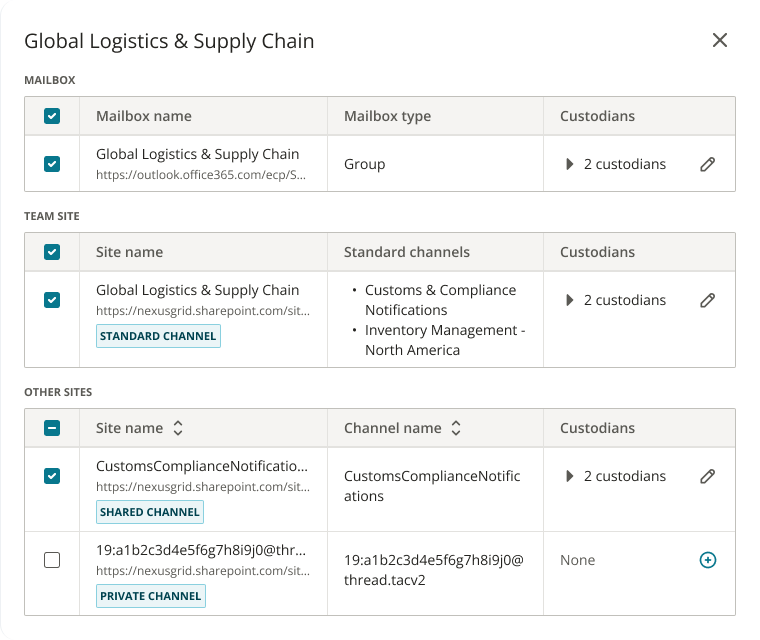
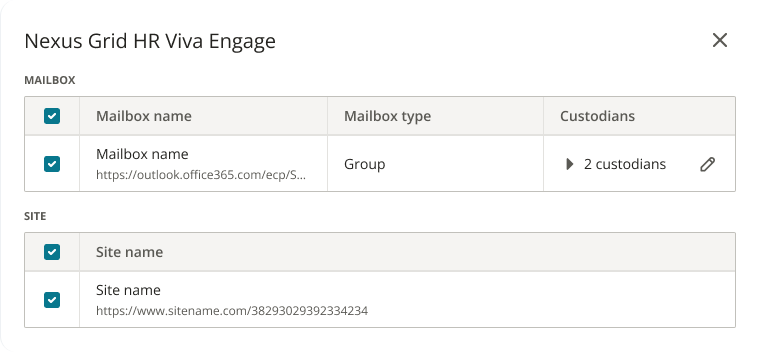
I used progressive disclosure — selecting a Team preserves all underlying sources by default with the option to expand and inspect details. This way, users stayed protected from heavy cognitive loads without being forced into technical decisions.
Progressive disclosure for fragmented data sources
🤝 Making shared ownership visible without overwhelming users
Shared data sources (like a SharePoint site or Exchange mailbox) belong to multiple custodians. Preserving the data for one person implicitly preserved it for others, but users had no clear way to see or control that impact.
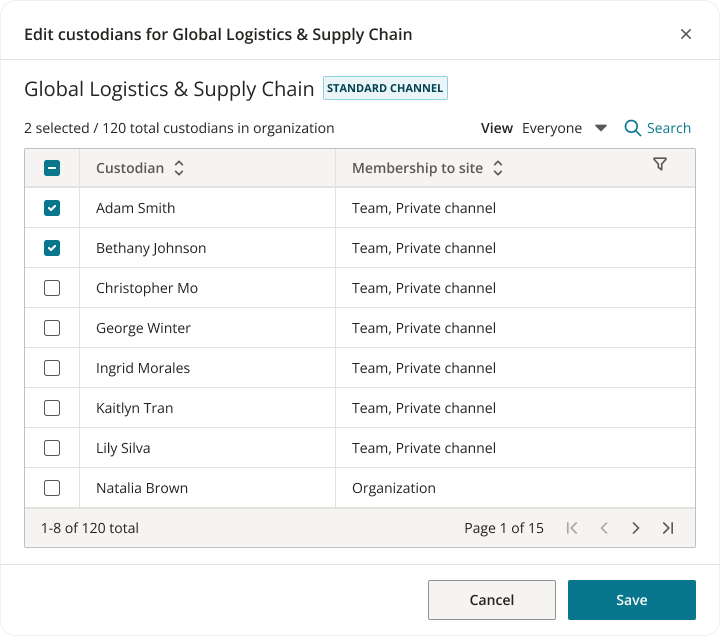
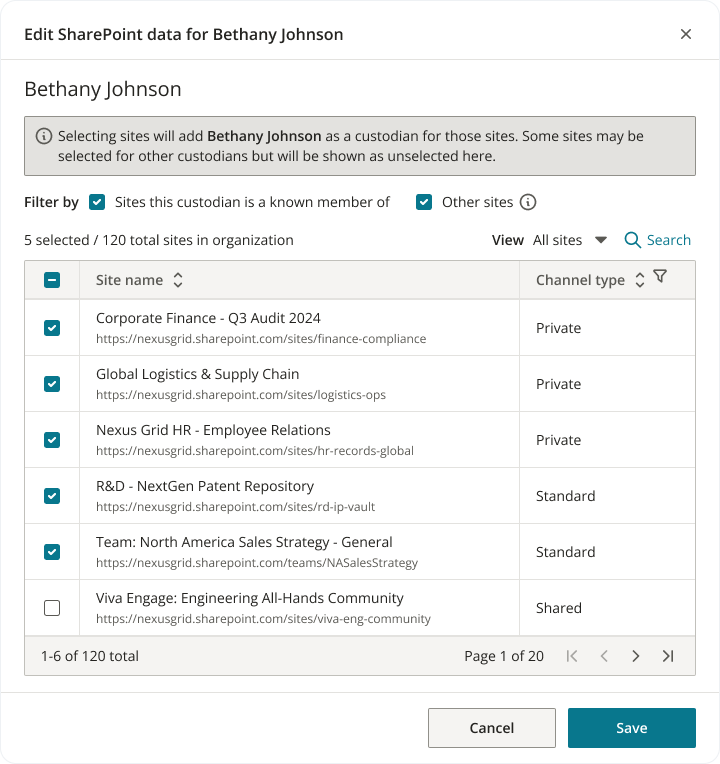
I used progressive disclosure to surface shared ownership on demand. Selecting a shared data source revealed all associated custodians inline, with a single entry point to edit associations.
Shared ownership revealed on demand
🔗 Preventing data loss from orphaned sources
Microsoft's API sometimes returned data sources with no associated custodians (e.g. a SharePoint site could be created by an employee who had left the organization). Without intervention, these sources could be unintentionally excluded from preservation.
I designed a flow that flagged orphaned data sources and allowed users to manually associate custodians before completing preservation. This ensured every data source had clear ownership.
Orphaned data sources flagged for manual custodian assignment
Impact
Tripled increase daily usage
increase in daily average usage
Before this feature, users had to leave Everlaw for Microsoft Purview to preserve shared data. After launch, daily usage more than tripled—from 1.55 to 5.21 average daily users.
This wasn't just a usage bump. It represented a workflow shift: legal teams could now complete end-to-end preservation without context switching, reducing friction and risk by keeping data in Everlaw.
Learnings
What designing for complex APIs taught me
This project reinforced for me that good enterprise design isn't about simplifying reality — it's about helping users feel confident navigating it.
👩🏻💻 Designing within technical constraints
Working with one PM and one engineer meant every decision had to be justified. I learned to advocate for design in engineering terms (API behavior, data models, edge cases), not just ideal user flows. Speaking that language made collaboration faster and designs more shippable.
🧠 When the backend can't change, clarity matters more
Microsoft's "all-or-nothing" preservation rules meant users couldn't always preserve exactly what they intended. Instead of hiding those constraints, I designed a clear UI so users understood what was being preserved. This reinforced for me that when technical constraints are unavoidable, transparency is what builds trust.